How To Make Movement Independent Of Frame Rate?
Introduction
The number of frames per second in a game is always a very hot topic. However, a high number of frames doesn't always have a positive impact on the gameplay. In this article, we will discuss the basics, from a technical perspective, and we will show how to make our features frame independent.
Frame
During the gameplay, the game collects a lot of data, which is interpreted by our CPU1 and GPU2.
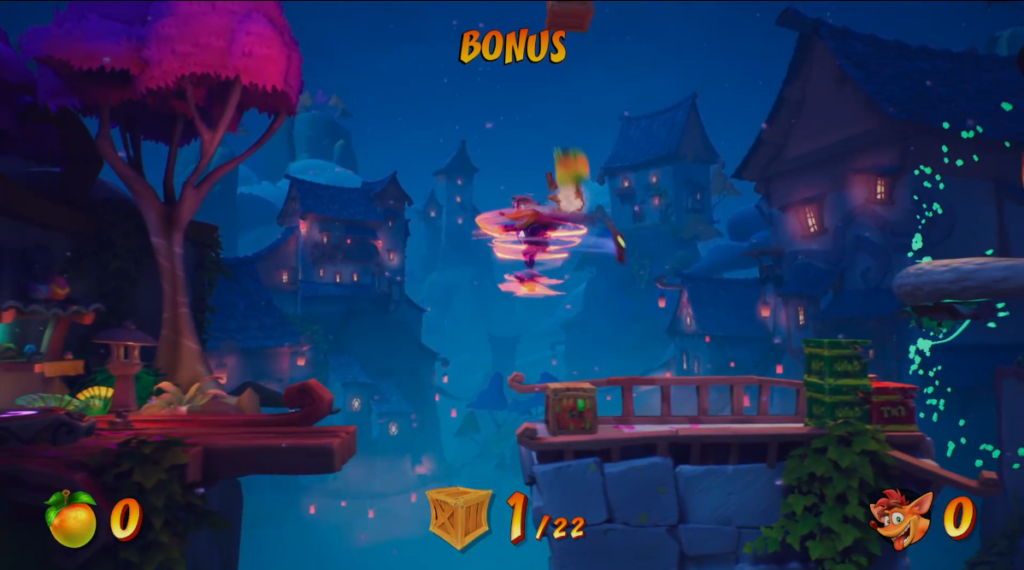 Sample game frame3
The screenshot above is the game state that has been rendered based on the collected data. That is a reflection of the stage of animations, the player's position in space, the state of the UI, etc. at the current moment of the game. In the industry nomenclature, such an image is called a frame.
The game smoothness depends on how often the frame is updated and how many changes this update brings. In order to assess the smoothness of the game, we will calculate how many frames our hardware is able to render in one second, hence the name of the unit - FPS, or Frames Per Second
Time between frames
Since we are able to render a limited number of frames per second, we can also find the maximum time that the player's hardware has to fully render one of them, so that the frame rate remains constant. For 30 FPS, it will be 33 ms, and for 60 FPS – 17 ms. If for any given frame this requirement won't be met, we may experience a drop or jump.
| Target framerate | Time in ms | Time in seconds |
|---|---|---|
| 30 | 33 | 0,0(3)4 |
| 60 | 17 | 0,01(6) |
| 120 | 8.33 | 0,008(3) |
Update
We will present how this mechanism works, by using the Unity Engine5 as an example. The logic would be similar in other technologies.
In the engine, when a new frame is rendered, a special Update method is called.
It is available in every class that inherits from MonoBehaviour
1
2
3
4
5
6
7
public class Sample : MonoBehaviour
{
  public void Update()
  {
    //this code will execute every time a new frame is rendered
  }
}
The fact this method is executed every frame, implies, it may be called more or less often depending on the hardware performance. When the game is at 30FPS, this method will be called 30 times per second, but when the frame rate increases, e.g. to 200, the frequency of calls will increase proportionally.
For example, let's use the following code
1
2
3
4
5
6
7
public void Update()
{
  if(Input.GetKey(KeyCode.D)) //Is player holding 'D'?
  {
    transform.position += Vector3.right; //Move the object by vector (1,0,0)
  }
}
The effect of this code will vary, depending on the frame rate our hardware can achieve
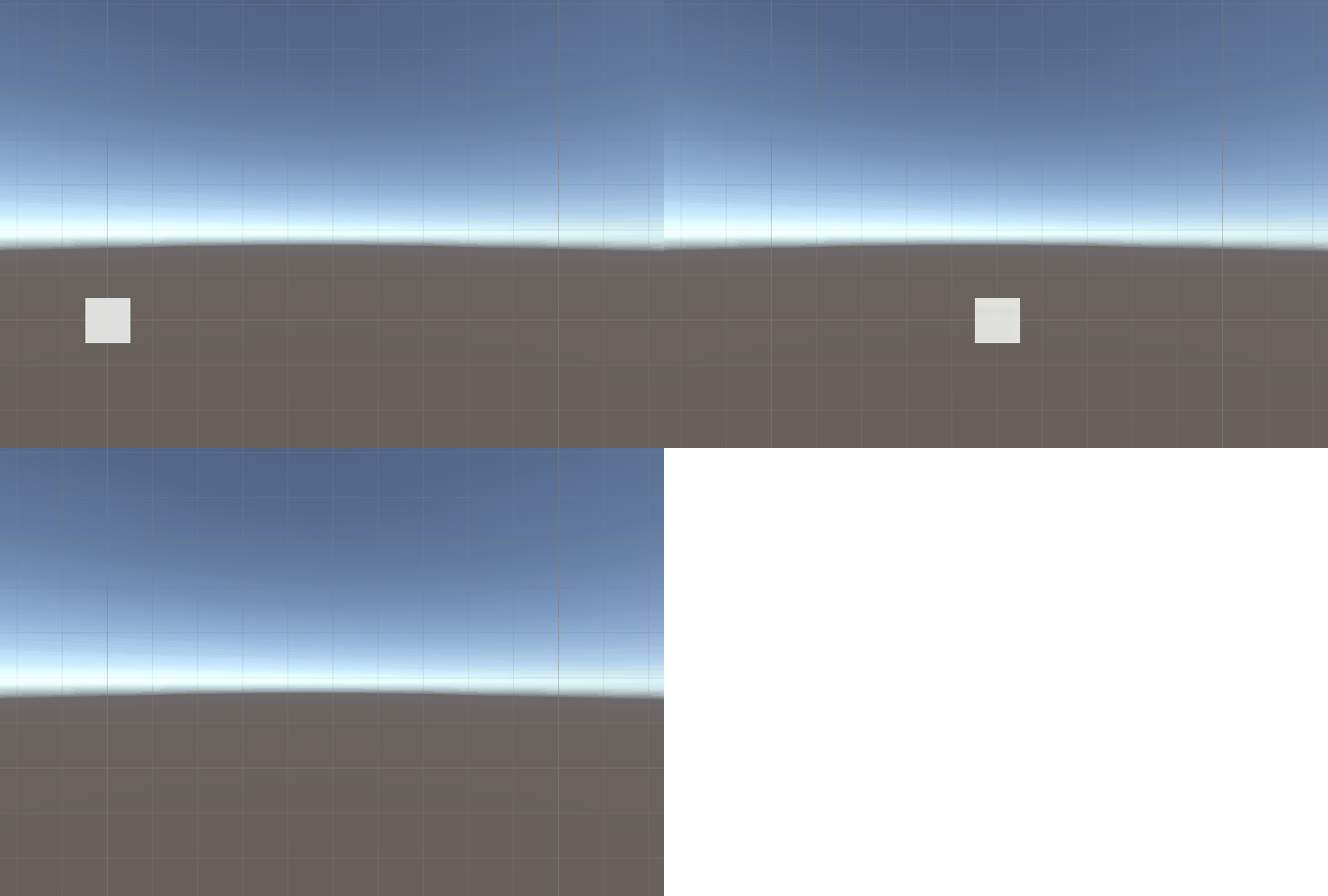 An example of such movement when the game runs at approximately 1000 FPS
Becoming frame independent
What we want to do is create a situation in which, regardless of the number of frames, our character will move the same distance in the same time. The speed of our player is equal to Vector3.right, so every time Update is called, the character will move one unit to the right. At 60 FPS we will cover 60 units in a second, at 30 FPS - 30 units, etc. Let's modify this to cover one unit in a second.
We can therefore calculate the distance per second as follows: Number Of Frames Per Second \(*\) Speed Per Frame
Next, we need to reduce the speed we cover in each frame to such a level that the sum of the distances covered in all frames in a second is 1. This reduction will depend on the number of frames. The higher the frame rate, the more we need to slow down our character, because the state will be updated more often.
Number Of Frames Per Second \(*\) (Speed Per Frame \(*\) Percent Speed Per Frame) \(= 1\)
For the calculations let's say that Percent Distance Per Frame \(= x\)
30 FPS
\[30 * 1 * x = 1\] \[1 * x = \frac{1}{30}\] \[x = \frac{1}{30}\] \[x = 0,03(3)\]60 FPS
\[60 * 1 * x = 1\] \[1 * x = \frac{1}{60}\] \[x = \frac{1}{60}\] \[x = 0,01(6)\]So, if we multiply the speed of the character in a given frame by the time that elapses between frames, at a given frame rate, we become frame independent. So we need a value for the time that has elapsed since the last frame was rendered. The engine stores this number in the Time.deltaTime variable.
1
2
3
4
5
6
7
public void Update()
{
  if(Input.GetKey(KeyCode.D))
  {
    transform.position += Vector3.right * Time.deltaTime;
  }
}
Time.deltaTime stores the time elapsed between frames that were rendered before the current frame. When using it, we are always one frame behind, which sometimes might not be precise enough.
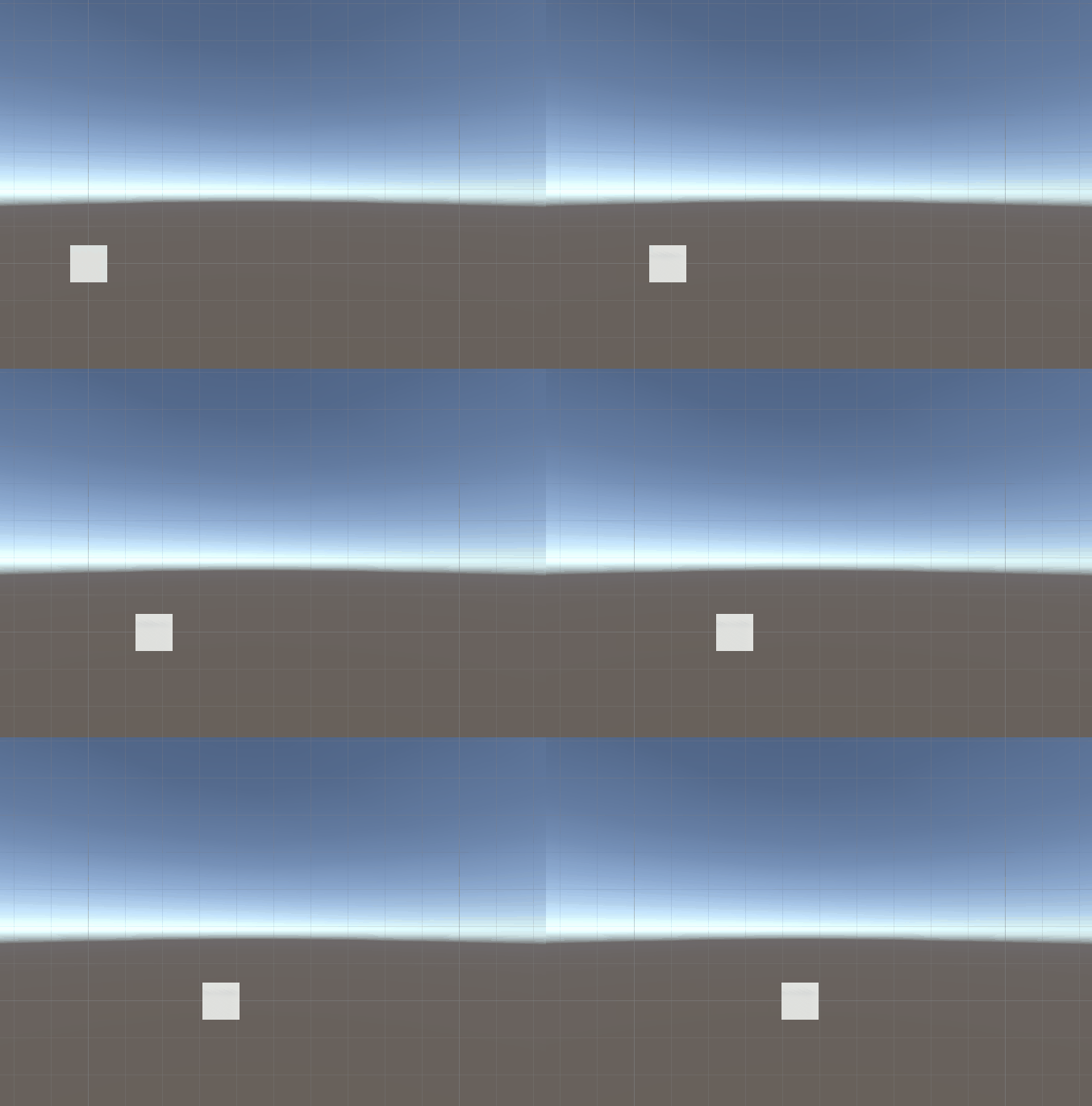 Example of movement when the game runs at approximately 1000 FPS after using Time.deltaTime.
Now, if we want to speed up or slow down our character, we can add another variable to this equation
1
2
3
4
5
6
7
8
9
float speed = 10f;

public void Update()
{
  if(Input.GetKey(KeyCode.D))
  {
    transform.position += Vector3.right * Time.deltaTime * speed;
  }
}
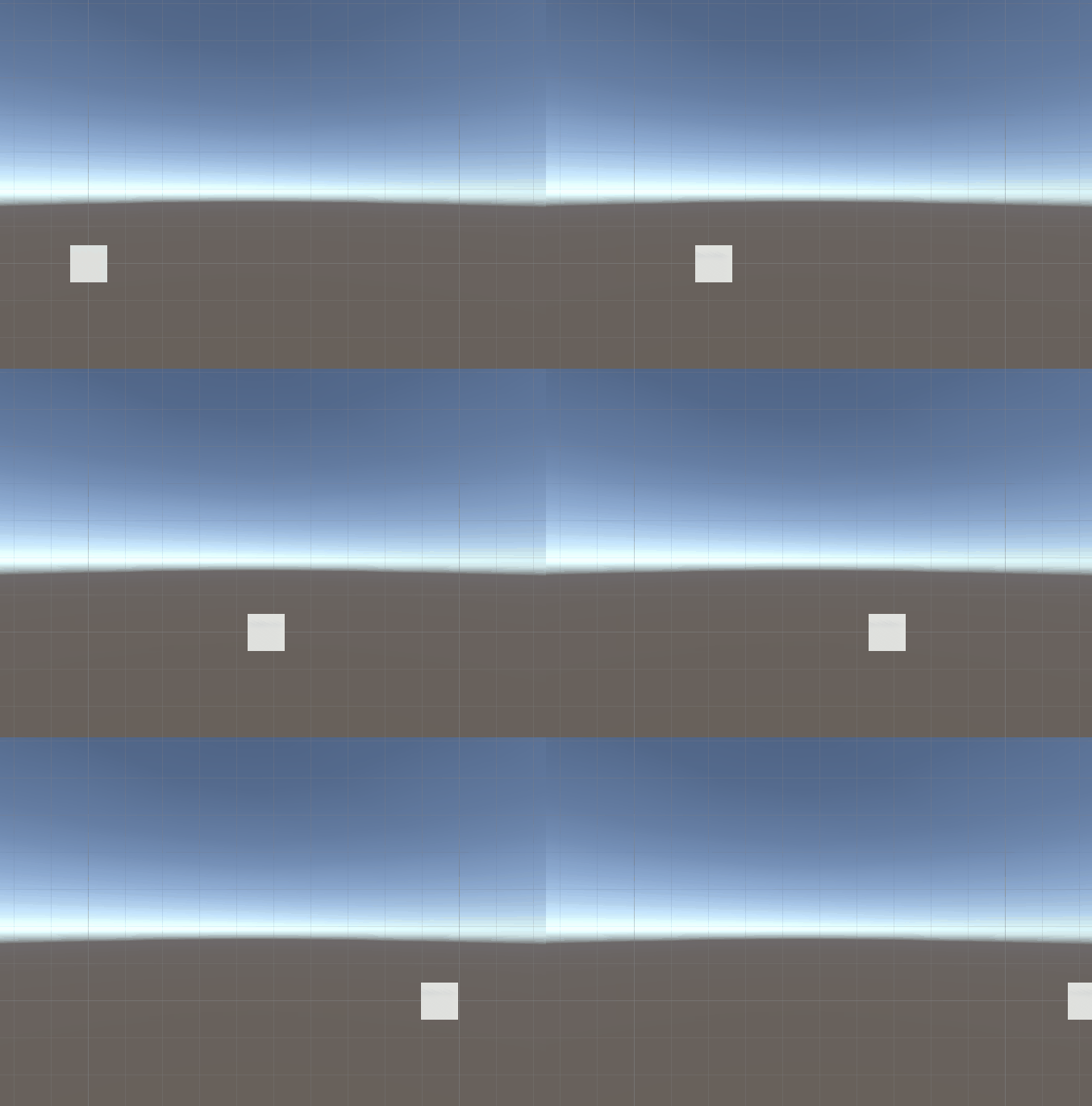
Summary
- A frame is the rendered state of our game at a given moment of the gameplay
- Update in the context of Unity Engine is a method that executes every time a new frame is rendered
- The frequency of executing the Update method per second depends on number of frames our hardware will render during that second.
- If our code is frame dependent, it will behave differently depending on hardware performance
- Time.deltaTime is a variable that stores the time that has passed since the last frame was rendered.
- Multiplying a number by Time.deltaTime causes its increment to change from “every frame” to “every second”.
- We should always want our code to be frame independent.
- Multiplying by the above-mentioned variable only makes sense when the code is called every frame. In other cases, it will only unnecessarily reduce the value of the number without providing any benefits in return.
1
2
3
4
5
6
7
8
9
10
11
12
public class Sample : MonoBehaviour
{
  float speed = 10f;

  public void Update()
  {
    if(Input.GetKey(KeyCode.D))
    {
      transform.position += Vector3.right * Time.deltaTime * speed;
    }
  }
}
Footnotes
Central Processing Unit ↩︎
Graphics Processing Unit ↩︎
https://www.metacritic.com/game/crash-bandicoot-4-its-about-time/ ↩︎
Published by

Comments powered by Disqus.